
Moderation
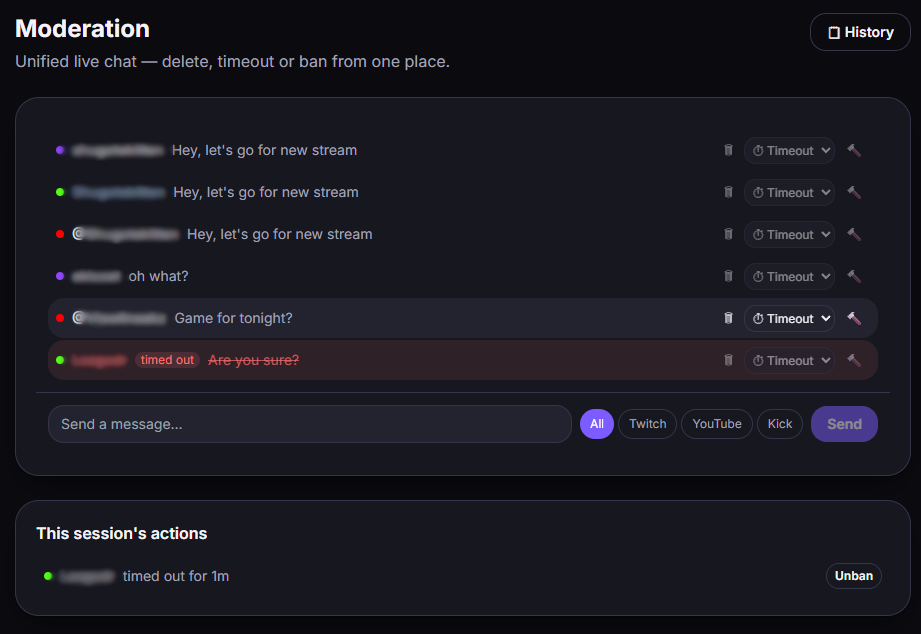
From the Moderation tab, you act on all 3 platforms in the same place.
Actions
Section titled “Actions”- Delete a message
- Timeout (temporary exclusion)
- Ban / unban
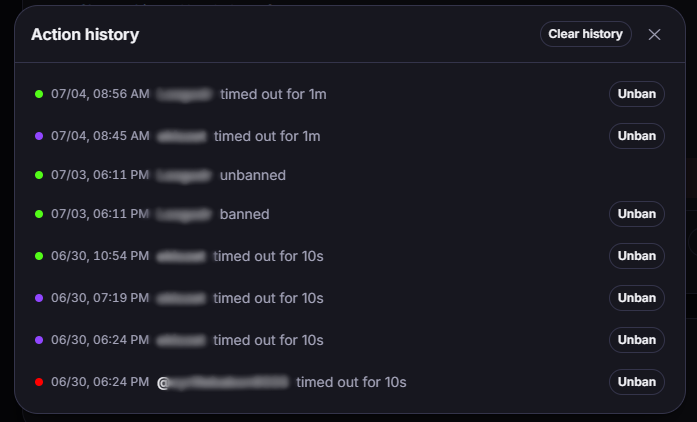
Moderated messages are visually marked, and all your actions are kept in a persistent history (you can find what you did, even after a restart).
Notes per platform
Section titled “Notes per platform”- YouTube: moderation requires an active live. Also, YouTube only lets you unban a ban made in the same session.
- Kick: requires the two moderation permissions enabled on your Kick app (see Connect Kick). Otherwise → 401 error.
- Twitch: nothing in particular to enable on the app side (permissions are requested when you connect).
After any permission change, apply the golden rule.